
Screenshots
App details
- Updated
- Jan 28, 2009
- Language
- English
- Developer
- Jon Klein
- Category
- Mobile
SoftPas in:
This product is also available in the following languages:
About breveCreatures Screensaver
Download breveCreatures Screensaver – 3D screensaver, evolving creatures, polygonal creatures, real-time evolution, dynamic visual display, interactive screensaver, animated creatures, virtual ecosystem, immersive screensaver, digital art, visual entertainment, futuristic screensaver
Overview
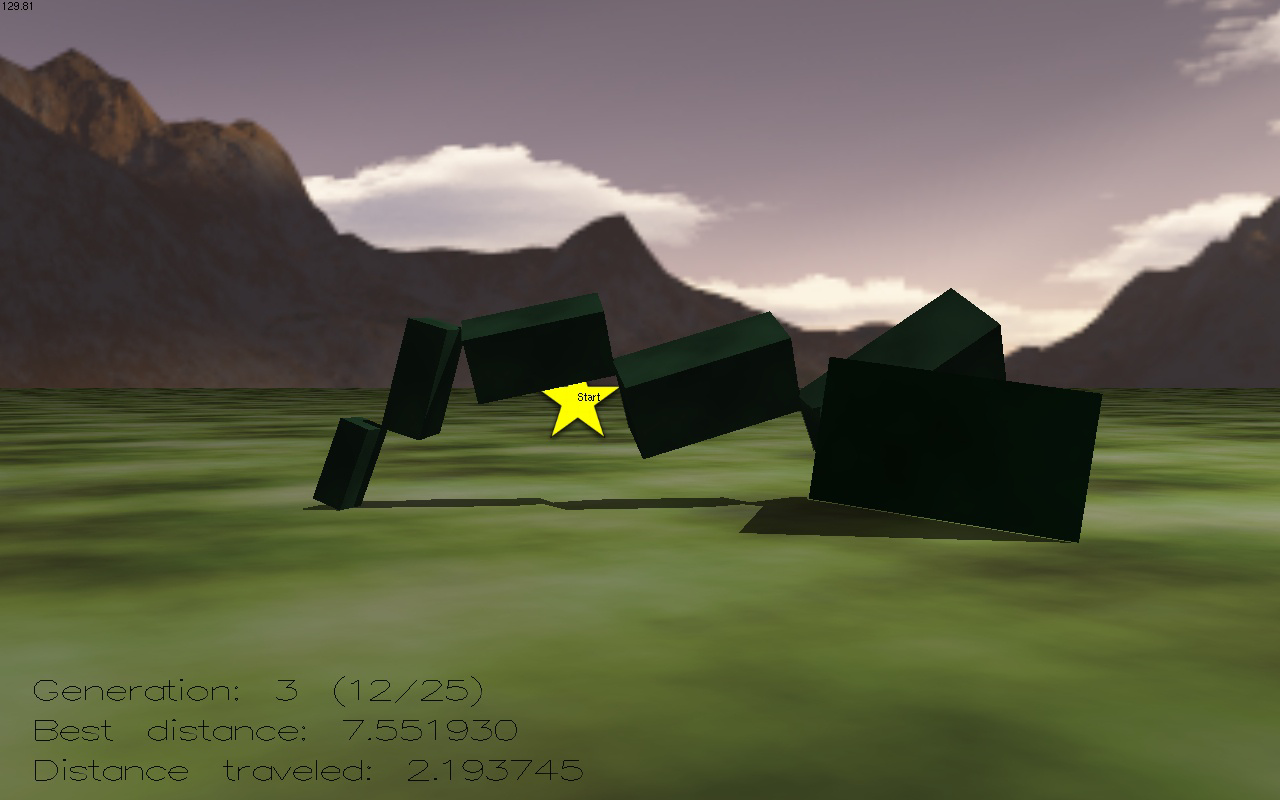
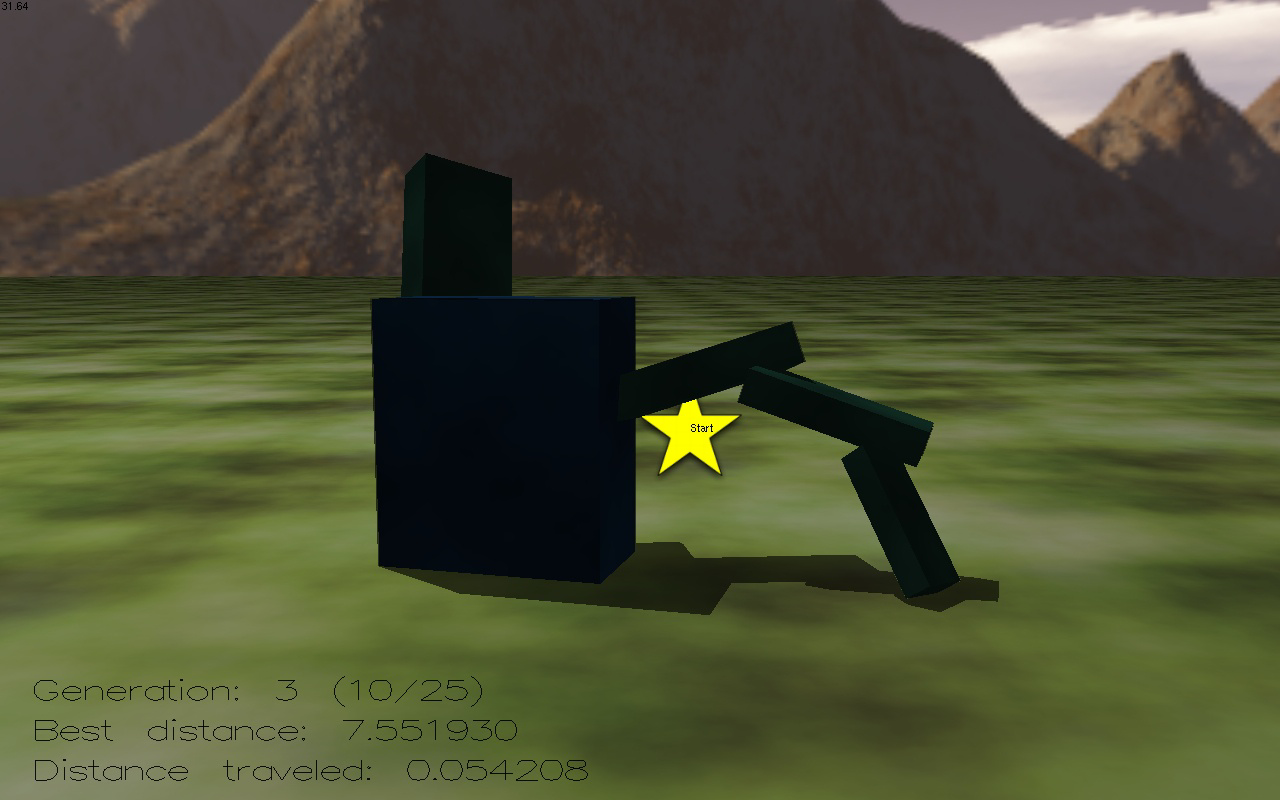
breveCreatures Screensaver presents a unique digital experience centered on real-time 3D evolution within a virtual ecosystem. Designed as an interactive screensaver, it immerses users in a dynamic world where polygonal creatures evolve through multiple developmental stages. These creatures are not static; they learn movement patterns and adapt to their environment, creating a living, breathing digital art installation. The screensaver supports up to 25 creatures simultaneously, ensuring a rich and varied visual display that remains engaging over time.
Targeted primarily at users seeking visual entertainment and digital art experiences, the app appeals to fans of futuristic aesthetics, generative design, and abstract animation. It serves as both a passive screen display and an educational tool, offering insights into evolutionary processes through visual storytelling. The continuous evolution cycle means that even when the user steps away, the creatures keep progressing, allowing for a narrative that unfolds over time.
Developed by breve, the screensaver has been available since January 28, 2009, marking it as a long-standing entry in the digital art and screensaver space. Although the developer did not provide additional technical details, its enduring presence suggests a stable and well-maintained application. In the broader app ecosystem, breveCreatures stands out as a niche but impactful tool for those who value immersive, generative visuals on their desktops.
Key Features & Functionality
- 3D Evolving Creatures: The core feature of the screensaver is its real-time generation of polygonal creatures that undergo continuous transformation. Each creature progresses through distinct developmental phases, offering a layered visual narrative that evolves over time.
- Dynamic Evolution Stages: Creatures do not remain static; they learn movement and interaction behaviors as they grow. This progression—from immobile forms to agile, responsive entities—creates a sense of life and progression within the digital world.
- Multiple Creatures Display: With the capability to render up to 25 creatures at once, the screensaver ensures a vibrant and constantly shifting environment. The diversity in form and motion prevents visual repetition, making each viewing session unique.
- Continued Evolution: Even when interrupted or paused, the evolution process persists. Upon reactivation, users can resume viewing from the point of interruption, maintaining a seamless narrative flow and enhancing the immersive experience.
- Evolution Information Display: The screensaver includes a real-time informational overlay that tracks and displays the evolutionary progress of each creature. This feature adds an educational dimension, allowing users to observe developmental milestones and understand the progression of digital life forms.
These features combine to create a self-sustaining digital ecosystem. For example, a user might leave their computer unattended for hours and return to find a new generation of creatures that have developed advanced movement patterns. The blend of art, simulation, and interactivity positions the screensaver as more than a visual tool—it functions as a living art piece that evolves independently.
Interface, UX & Performance
The interface of breveCreatures Screensaver is minimalistic, designed to prioritize visual output over user interaction. As a screensaver, it operates in the background with no need for active input during runtime. The visual layout centers on a 3D space where creatures appear, move, and evolve in real time. The polygonal aesthetic gives the creatures a stylized, futuristic look, enhancing the immersive quality of the display.
Navigating the screensaver’s settings is straightforward, though specific details about the control panel were not provided. The UX is optimized for passive viewing, with intuitive defaults that require minimal configuration. Users can expect smooth transitions between evolution stages and responsive rendering of creature movements.
Although the developer did not list formal performance metrics, the app’s file size of 1.2 MB suggests lightweight resource usage. It is likely optimized for older and modern Windows systems alike, ensuring compatibility across a wide range of devices. The stability of the application is implied by its long-term availability, indicating consistent performance over time. Responsiveness remains high, even when multiple creatures are active, contributing to a fluid and uninterrupted visual experience.
Platform Compatibility & Technical Requirements
breveCreatures Screensaver is designed for the Windows platform and is compatible with various versions of the operating system. The software version is 1.0.0, and the file size is 1.2 MB, indicating a compact and lightweight application. The price is listed as free, making it accessible to a broad audience.
Specific requirements such as minimum OS version, processor, or RAM were not listed by the developer. As such, compatibility information was not fully disclosed. However, the small file size and long-standing release date suggest broad compatibility with both legacy and modern Windows systems. Users should ensure their system meets general Windows desktop requirements for running visual applications.
Pros and Cons
Pros
- Free to download and use, making it accessible to all users.
- Compact file size (1.2 MB) ensures minimal storage impact.
- Real-time 3D evolution creates a continuously engaging visual experience.
- Supports up to 25 creatures simultaneously, enhancing visual complexity.
- Evolution continues even when the screensaver is inactive, preserving narrative continuity.
- Includes an informative display of evolutionary progress for educational value.
Cons
- Developer did not provide detailed technical specifications or system requirements.
- Platform is limited to Windows; no information on availability for other operating systems.
- Interface is minimal, which may limit customization options for advanced users.
- As a screensaver, it does not offer interactive gameplay or user-driven progression.
- Version 1.0.0 has not been updated since 2009, raising questions about long-term support.
FAQ
Is breveCreatures Screensaver safe to install?
The app is free and available through trusted distribution channels. Its long-standing presence and small file size reduce the likelihood of malicious content. However, users should download from official or verified sources to ensure security.
Can I customize the number of creatures displayed?
While the screensaver supports up to 25 creatures, specific customization options were not detailed by the developer. Default settings likely control the population size.
Does the screensaver work on all Windows versions?
Compatibility information was not fully disclosed. The app has been available since 2009, suggesting it may work on older Windows systems, but users should verify system compatibility based on their environment.
Is the evolution process affected by system performance?
Although performance details were not provided, the lightweight design suggests it runs efficiently on most standard Windows desktops. Slower systems may experience reduced frame rates, but the evolution process continues.
Can I use this screensaver on a laptop?
Yes, the screensaver is compatible with laptops running Windows, provided the system meets general desktop requirements. It is ideal for use during idle periods, such as when the laptop is charging or on battery.
Final Thoughts
breveCreatures Screensaver remains a standout example of digital art and generative animation. Its ability to simulate real-time evolution in a 3D virtual ecosystem offers a rare blend of visual beauty, educational insight, and continuous engagement. While the app has not seen updates since 2009, its core functionality remains intact and compelling. For users who appreciate futuristic aesthetics, abstract design, and living digital environments, this screensaver delivers a unique and immersive experience.
It is particularly valuable for artists, educators, and tech enthusiasts seeking a passive yet dynamic visual tool. The free price point and minimal system demands make it an ideal choice for anyone looking to enhance their desktop with intelligent, evolving visuals. With its focus on continuous narrative and visual depth, breveCreatures stands as a timeless piece in the digital art landscape.
Download breveCreatures Screensaver now
Guides & Tutorials
How to install breveCreatures Screensaver
- Click the Download button above.
- Once redirected, accept the terms and click Install.
- Wait for the breveCreatures Screensaver download to finish on your device.
How to use breveCreatures Screensaver
This software is primarily used for its core features described above. Open the app after installation to explore its capabilities.
User Reviews
No reviews yet. Be the first to share your experience.
You may also like
more
Que no te pillen¡
About !Que no te pillen¡Reviewed by Jason A. BilbreyShow MoreShow Less

3D Combat Zone
About 3D Combat ZoneOriginally released in 1983, 3D Combat Zone immerses players...

666: El día del portal
About 666: El día del portalOn June 6, 2006, Agent P. Stone uncovers a sinister...

80 in 1 Best Flash games
About 80 in 1 Best Flash games 80 in 1 Best Flash games is a collection of 80 fl...

ABYSS SEEKERーーWhat Do You See Deep in The Abyss
About ABYSS SEEKERーーWhat Do You See Deep in The AbyssIn ABYSS SEEKER, players...

ACA NEOGEO THE KING OF FIGHTERS 2002 for Windows
About ACA NEOGEO THE KING OF FIGHTERS 2002 for WindowsTHE KING OF FIGHTERS 2002,...